Your DeepSeek Harness session, in the Chrome tabs you choose — and in no other.
An unofficial community project by Corsen AI. Not affiliated with, endorsed by, or certified by DeepSeek.
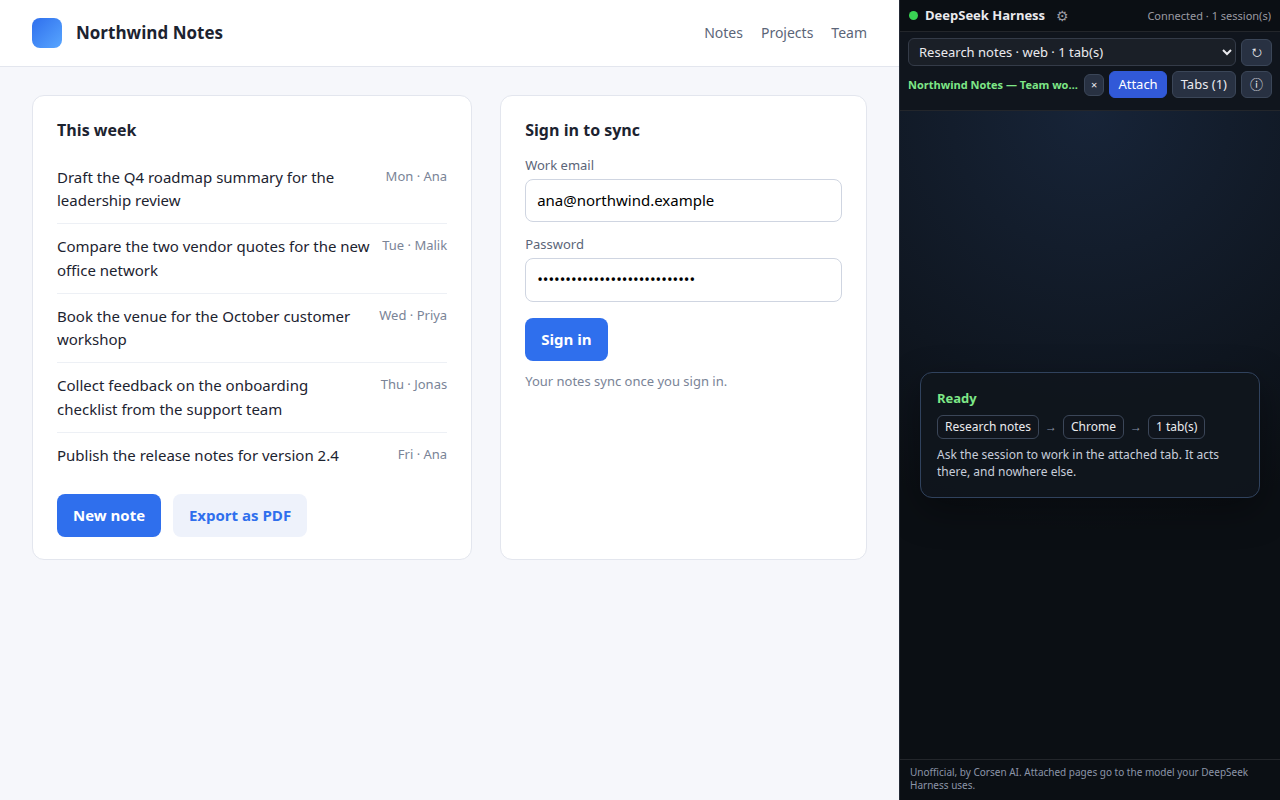
A Chrome extension and a small local companion let one exact DeepSeek Harness session — running on your own computer — read and act in the browser tabs you explicitly attach to it, inside the Chrome profile you are already signed in to. No hidden automation browser, no guessing which tab belongs to which task. The panel always shows the route in plain words: DeepSeek session → Chrome profile → attached tabs.
It never reads or acts in a tab you did not attach, never reads your cookies, history or saved passwords, masks passwords, one-time codes and payment fields inside the page before anything leaves the browser (a screenshot, taken only when the session asks for one, shows the page as you see it), and sends nothing to Corsen AI: the extension talks only to the companion on 127.0.0.1.
Requires DeepSeek Harness (dsh), Node.js 22.19 or newer, and pnpm on PATH (dsh plugin forwards to it: npm install -g pnpm).
dsh plugin --profile web add https://github.com/CorsenAI/deepseek-harness-connector/releases/download/v0.1.0/corsen-ai-dsh-browser-connector-0.1.0.tgz
dsh plugin --profile web exec dsh-connector-broker --pairing-code
The companion is the tarball on this project's release of the same version; dsh plugin add downloads it like any tarball URL, and the extension's setup card shows this command for its own version. A newer release is the same command with the newer URL.
Start DeepSeek Harness — the connector starts its local broker by itself when nothing is listening — then install the Chrome extension from the Chrome Web Store, open its side panel, type the pairing code once, pick your session, and press Attach. The panel's setup card says whether the connector is reachable and shows these commands for your system. Installers that do all of this and print the code are in the repository (scripts/install.sh, scripts/Install Connector.cmd).
| Connector | DeepSeek Harness | Chrome |
|---|---|---|
| 0.1.0 | @deepseek-ai/dsh 0.1.2-rc.1 through 0.2.2-rc.1 (tested, including 0.2.1-rc.5, npm latest on 2026-11-05); later 0.2 releases load with a notice; the 0.3 line, its prereleases included, is refused until tested | 120 or newer, on Windows, macOS and Linux |
The extension and the companion are released together at the same version; a mismatch is shown as a clear "update required" message, never undefined behaviour.
Every claim above is a test in the repository: routing and isolation, transport security, redaction, honest reporting, a page built to give a model instructions, an attached tab that changes site mid-task, recovery from a killed worker, broker or Chrome, the released pair installed into a real dsh, and one live turn of a real dsh process. The test matrix and the evidence say what was run, where, and what is not proven.