1
Install the extension
Add Hermes Connector from the Chrome Web Store, then open its side panel.
Chrome browser extension for Hermes Agent
Hermes Connector links exact local Hermes Agent sessions to only the Chrome tabs you attach—inside the signed-in browser profile you already use.
Current public Chrome Web Store pair: 0.2.4
Current public release
Open chrome://extensions and check Hermes Connector before downloading the local companion.
| Extension installed in Chrome | Compatible local companion | Use this pair when |
|---|---|---|
| 0.2.4 from the public Chrome Web Store listing | Download companion 0.2.4 | Current release with automatic Hermes Desktop discovery. Install it when Chrome explicitly shows 0.2.4. |
| 0.2.3 legacy released build | Download companion 0.2.3 | Only while Chrome still explicitly shows extension version 0.2.3. |
| 0.2.2 legacy released build | Download companion 0.2.2 | Only while Chrome explicitly still shows extension version 0.2.2. |
| 0.2.1 legacy released or sideloaded build | Download companion 0.2.1 | Only while Chrome explicitly shows extension version 0.2.1. |
| 0.2.0 legacy build | Download companion 0.2.0 | Only while Chrome explicitly shows 0.2.0. Follow the disk-recovery procedure. |
0.2.4 Desktop release: after installing the matching pair and fully restarting Hermes Desktop, the panel discovers Desktop's dynamic local backend automatically. Select the session and attach tabs in Chrome, then continue the conversation in Hermes Desktop; no separately opened web dashboard is required.
Do not mix versions. Update the extension first, then install the companion with exactly the same version. See the versioned setup guide.
Start in three steps
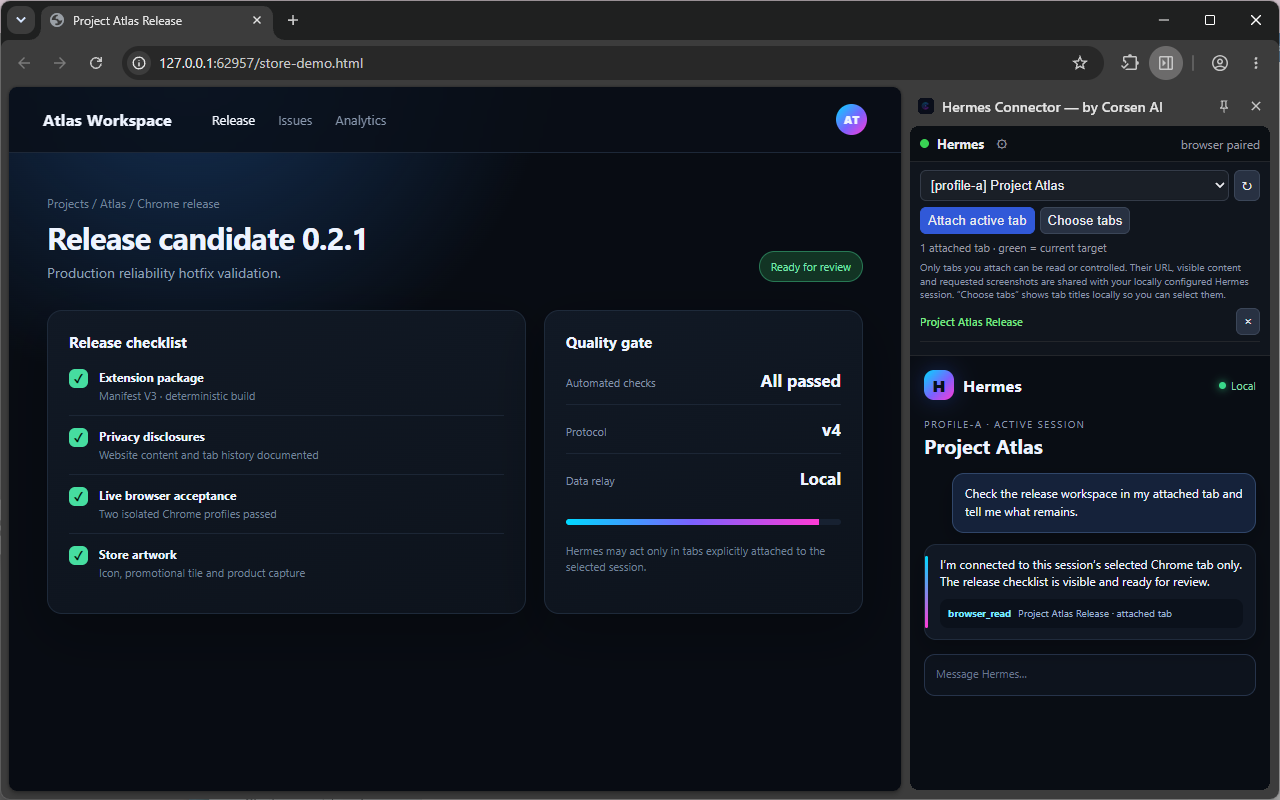
The side panel keeps session selection and tab attachment beside your real Chrome profile. The current 0.2.4 Store pair can embed the local web dashboard or connect directly to Hermes Desktop, where the conversation remains visible.
Add Hermes Connector from the Chrome Web Store, then open its side panel.
Check the extension version, download the exact matching companion from the table above, run its installer once, and fully restart Hermes Desktop or the running Hermes services.
Paste the locally printed pairing code, select a real Hermes session, then attach only the tabs that session may read or control.
Built for real workflows
Run simultaneous projects without accidentally sending one Hermes session into another project's browser context.
Attach one or more Chrome tabs to a specific Hermes profile and session. An unbound session is rejected instead of falling back to another tab.
Hermes works with the Chrome profile and site sessions you already use. Hermes Connector does not launch a hidden automation profile.
Navigate, inspect, read, click, type, scroll, take requested screenshots, use keys, select options, drag, search, and manage scoped tabs.
In web-dashboard mode, the dashboard stays inside the Chrome side panel. In 0.2.4 Desktop mode, the panel shows session and tab controls while the existing Hermes Desktop window keeps the conversation—there is no duplicate chat to synchronize.
Local by design
Selected page content is sent to your local Hermes installation so it can perform the requested action. If you configured Hermes to use a remote model or service, Hermes may then send content to that chosen provider under its terms.
Corsen AI does not operate an analytics service, account system, telemetry endpoint, or content relay for the extension.
Read the complete privacy policy or inspect the public source code.
Requirements
.\install.ps1; companion 0.2.2 and later also include a double-click launcher. macOS and Linux use ./install.sh.Questions, answered
For step-by-step installation and troubleshooting, use the setup and support guide.
Hermes Connector is an unofficial Chrome browser extension by Corsen AI. It connects exact local Hermes Agent profiles and sessions to the Chrome tabs selected by the user.
Yes. Hermes must already run locally, and the matching Hermes Connector companion must be installed once. The companion contains the local broker that securely connects Hermes and Chrome.
No. Hermes can read or control only tabs you explicitly attach to the selected session. Restricted Chrome pages cannot be controlled.
Yes. Hermes Connector uses your selected, normal Chrome profile and its existing site sessions. It does not read website cookies or browser login storage directly.
Chrome updates the Web Store extension automatically. It cannot update the separately installed local companion. After any extension version change, verify the version shown by Chrome, install the companion with exactly the same version, and fully restart Hermes Desktop or the running Hermes services.
No. Hermes Connector is an unofficial community project by Corsen AI and is not affiliated with or endorsed by Nous Research or Google.
Ready to connect?
Install the extension, run the matching companion once, then choose exactly which Hermes session can use which tab.